ProductsSquawkBar for macOS

Deploy status on your desktop. Quiet until it matters.

SquawkBar puts real macOS widgets for your deploys, uptime and issues on your desktop, across Vercel, Railway, Supabase, Sentry and more. No account, and your tokens stay in your Keychain.

12
Services
S · M · L
Widget sizes
0
Accounts needed
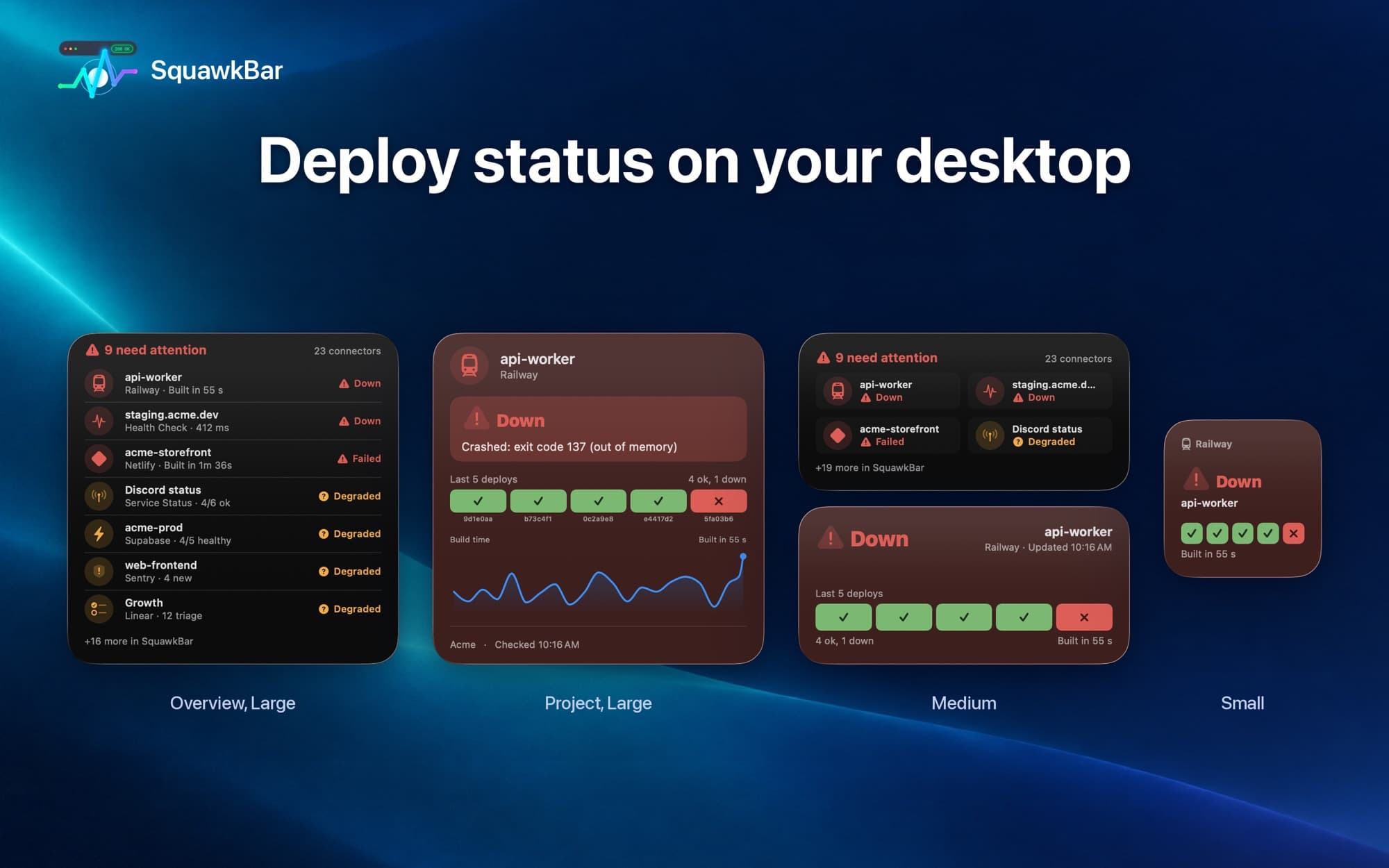
SquawkBar desktop widgets in Overview, Project, Medium and Small sizes, showing a failed Railway deploy

Sample data shown.

What's included

Real desktop widgets

Native WidgetKit widgets in Small, Medium and Large, plus overview widgets that show several services at once. They sit on your desktop and update on their own, not a menu bar list.

Twelve services, one glance

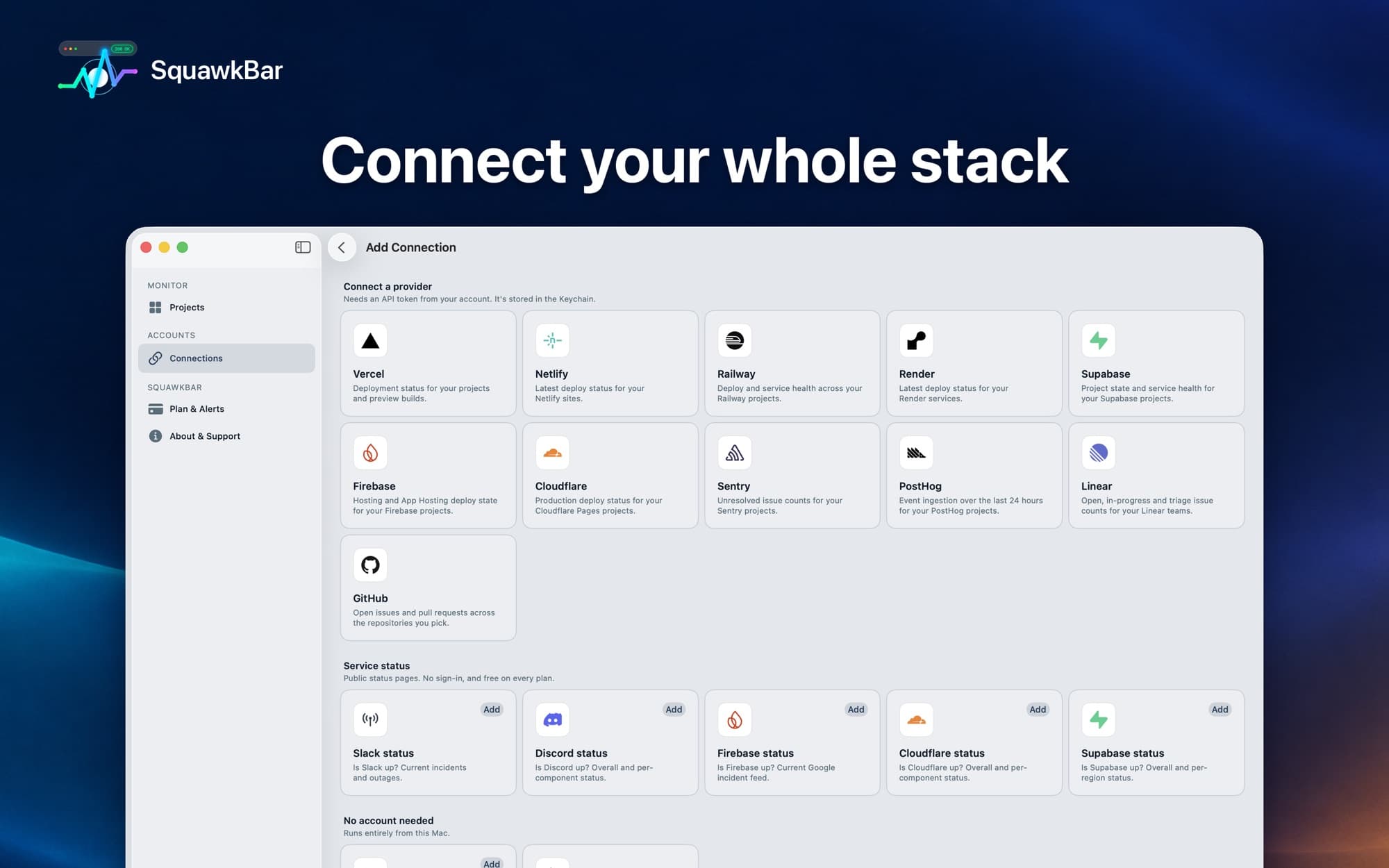
Vercel, Netlify, Railway, Render, Supabase, Firebase, Cloudflare Pages, Sentry, PostHog, Linear and GitHub, plus public status for Slack and Discord. Connect once, then pick the projects to watch.

Drill into any deploy

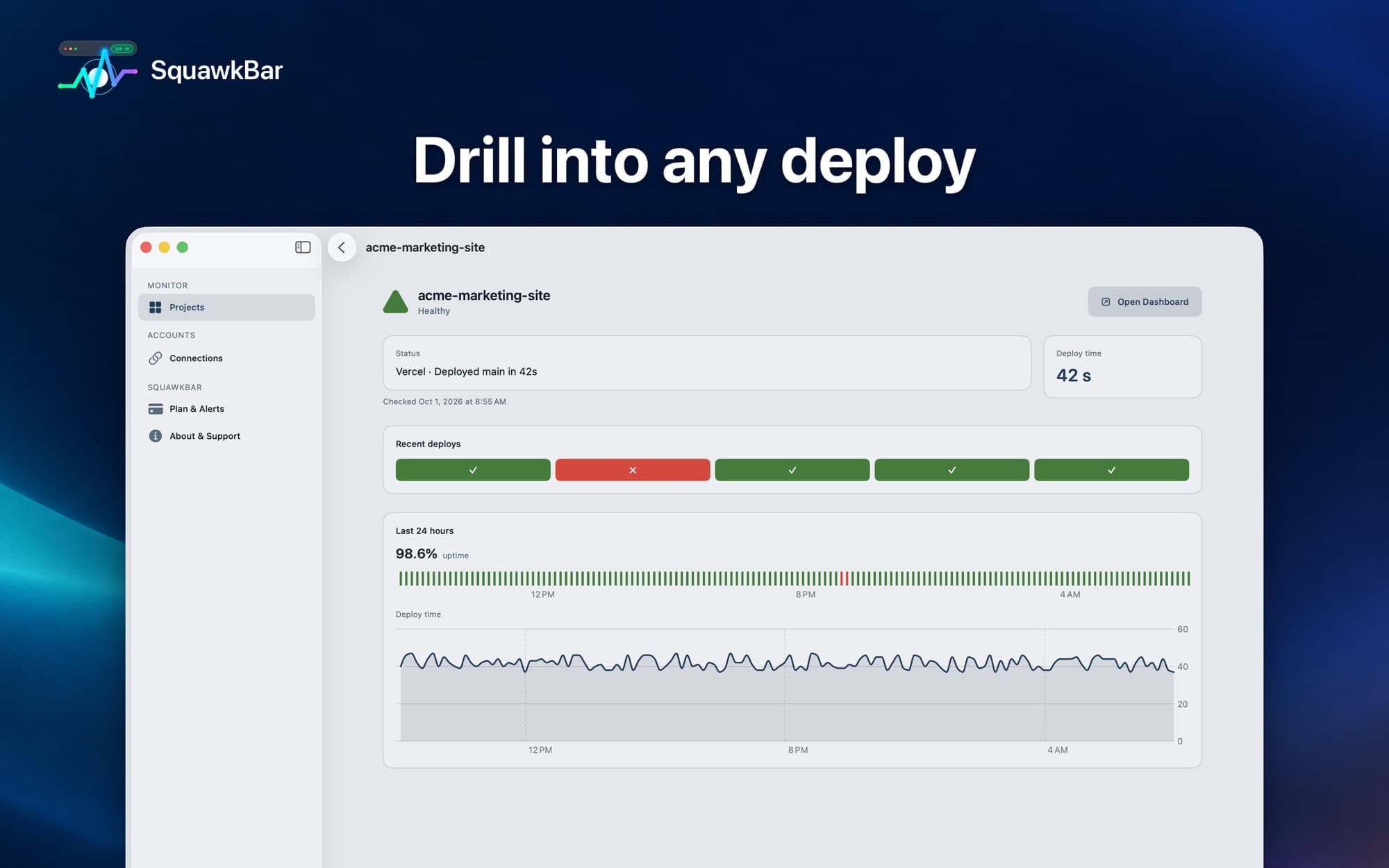
Open a project to see its recent deploys, deploy time, a 24-hour uptime bar and a response-time graph, then jump straight to that service's dashboard.

Health checks for any URL

Your API, your landing page, a client's site. Give SquawkBar a URL, a name and how often to check, and it shows up as a widget (Pro).

Push alerts that work asleep

A background checker sends a notification when a deploy fails or a health check goes down, even while your Mac is asleep and the app is closed (Pro).

Local Dev widget

Shows whether something is listening on your usual dev ports (3000, 5173, 8000, 8080 and more) on your Mac. It does not list processes or containers.

Inside the app
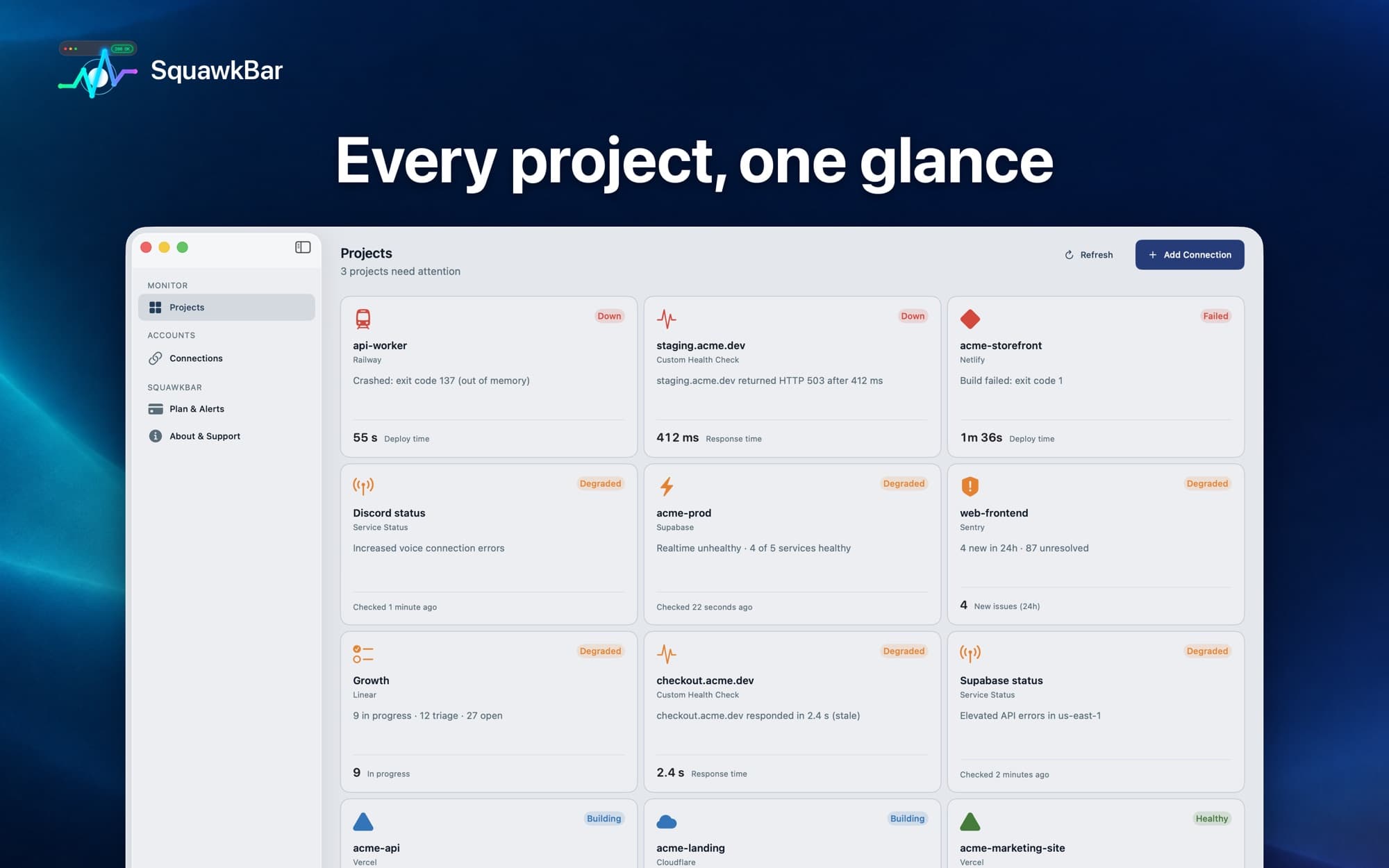
The SquawkBar Mac app Projects view, a grid of projects with Down, Degraded, Building and Healthy states
Every project, one glance
The SquawkBar project detail view with recent deploys, 24-hour uptime and a deploy time graph
Drill into any deploy
The SquawkBar Add Connection screen listing Vercel, Netlify, Railway, Render, Supabase, Firebase, Cloudflare, Sentry, PostHog, Linear and GitHub
Connect your whole stack
VercelNetlifyRailwayRenderSupabaseFirebaseCloudflareSentryPostHogLinearGitHubSlack statusDiscord status

Screenshots use sample data. SquawkBar reads status only; it never deploys, restarts or changes anything in your accounts.

Private by design

No account. Nothing to sign up for.

There is no SquawkBar login. Each service connects on its own with its own access token, stored in the Keychain on your Mac. Your widget setup syncs between your Macs through your own iCloud account.

If you turn on push alerts (Pro), the app sends our server the tokens for the services you chose to watch so it can check them while your devices sleep. They are encrypted at rest and used only to read status.

Free and Pro

Start free. Add Pro if you want more.

Free: one service connection with as many projects as you like, Local Dev, and Small, Medium and Large desktop widgets.

Pro: unlimited connections, custom health checks for any URL, and push alerts. An auto-renewing in-app subscription; check the Mac App Store for current pricing.

Know when a deploy fails before your users do

SquawkBar is free to start and runs on macOS 15 (Sequoia) or later. An iPhone and iPad companion is coming soon.

Download on theMac App Store